

Hello everyone! Creating personalized wedding invitations using Google Gemini AI is one of the hottest trends in 2026. With Gemini’s powerful image generation and editing capabilities, you can turn simple couple photos into stunning, professional-looking digital invitations in minutes – no designer needed! You can also turn static invites into short animated videos for WhatsApp or Instagram.
Gemini excels at generating ultra-realistic images, adding elegant text overlays, backgrounds, and themes. For videos, combine with tools like CapCut or Filmora (some integrate Gemini outputs).
Step-by-Step Guide to Create a Gemini AI Wedding Invitation (Image)

- Open Gemini: Go to gemini.google.com or the Gemini app (free with Google account).
- Upload Photo: Start a new chat and upload a clear couple portrait (or individual photos – Gemini can merge them).
- Paste Prompt: Use one of the trending prompts below (customize names, date, venue).
- Generate & Refine: Hit enter – Gemini will create variations. Regenerate if needed by adding details like “add golden text overlay” or “make background floral”.
- Download: Save the best version in high resolution for print/digital use.
Top Trending Prompts for Wedding Invitations (Static Images)
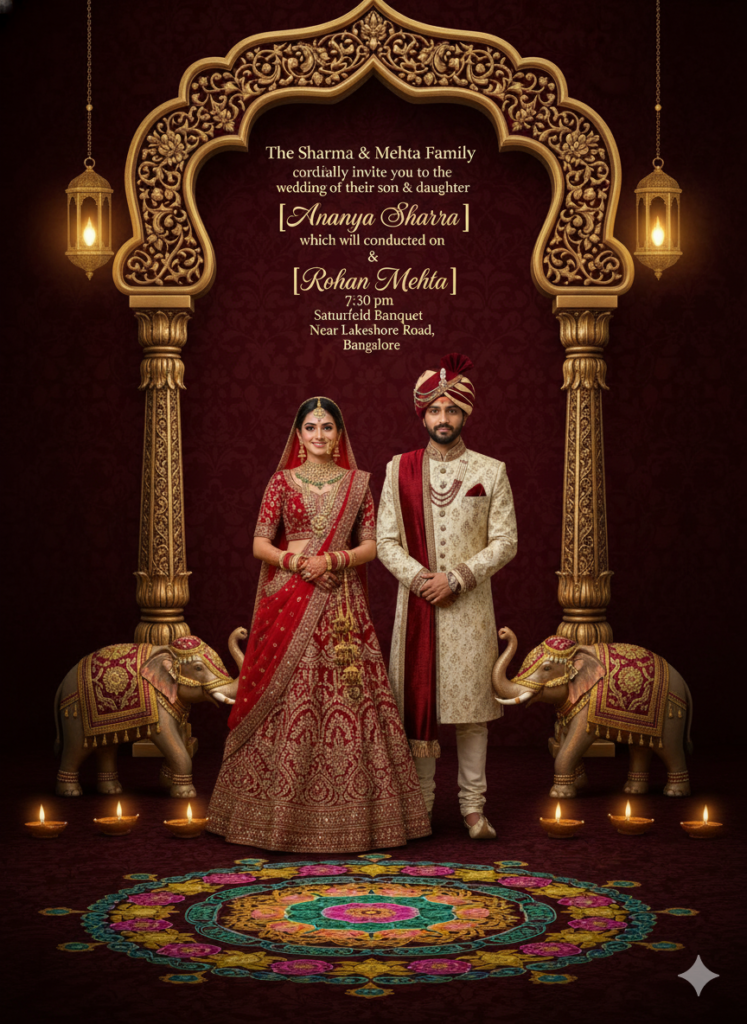
Copy-paste these directly (replace [Bride/Groom Names], [Date], [Venue]):
- “Create a luxurious Indian wedding invitation card with this couple’s photo as center. Rich maroon and gold colors, traditional mandala borders, floral garlands, elegant serif font text: ‘The Wedding of [Bride] & [Groom]’ ‘[Date]’ ‘[Venue]’. Keep original faces unchanged, high-resolution print-ready.”
- “Design a modern minimalist wedding save-the-date card using this couple portrait. Soft pastel background, rose gold accents, clean sans-serif font: ‘Save the Date’ ‘[Bride] weds [Groom]’ ‘[Date]’ ‘[Venue]’. Romantic and elegant vibe.”
- “Generate a royal Hindu wedding invitation poster with this couple in traditional attire. Peacock motifs, gold frame, red-gold palette, text overlay: ‘Shubh Vivah’ ‘[Names]’ ‘[Date & Venue]’. Cinematic lighting, ultra-realistic.”
- “Make a vintage Bollywood-style wedding card from this photo. Black & white with selective color on flowers/lips, dramatic pose, text: ‘Join us for the celebration’ ‘[Names]’ ‘[Date]’. Retro film look.”
- “Create a dreamy garden wedding invitation: couple under floral arch, soft sunset light, pastel flowers, text in cursive gold: ‘Together with their families’ ‘[Names]’ invite you to ‘[Date]’ ‘[Venue]’.”
How to Create a Wedding Invitation Video with Gemini AI
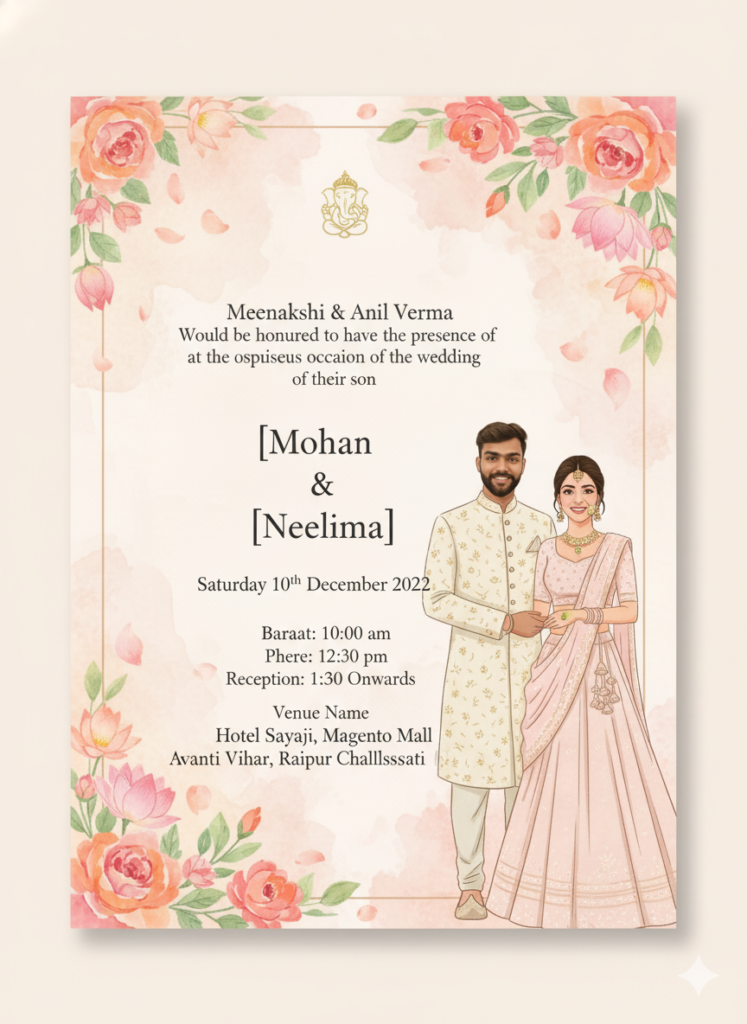
Gemini primarily generates images, but you can make videos easily:
- Generate multiple invitation images using variations of the prompts above (e.g., different angles, animations hints like “gentle breeze”).
- Import images into a free video editor:
- CapCut or InShot (mobile): Add transitions, music (romantic tracks), text animations.
- Filmora or Canva: Use AI image-to-video features or templates for wedding invites.
- Prompt for Video Ideas in Gemini: “Suggest a 15-second wedding invitation video script using these generated images: fade-ins, soft music, text reveal for names/date/venue.”
- Result: A beautiful 10-30 second animated invite ready for sharing!
These methods are free, fast, and produce viral-worthy results. Thousands of couples are using them for digital invites in 2026!
Which style are you trying – traditional, modern, or Bollywood? Share your results in comments!